
For small and medium‑sized enterprises (SMEs) in Malaysia — whether running an e‑commerce store, a retail outlet, a small warehouse, or a home‑based business — efficient labeling is often a hidden backbone of smooth operations. From shipping parcels to tagging inventory, a good label printer can save time, reduce errors, and cut costs. Among thermal label printers, Zebra stands out as a trusted name. In this guide, we explore what to look for when buying a Zebra thermal label printer and highlight a few models suited for SMEs.
✅ Why Thermal Label Printers – and Why Zebra
What are thermal printers, and why are they useful
Thermal printers — unlike inkjet or laser printers — don’t require ink or toner. Instead, they use either direct thermal printing (heat‑sensitive paper that darkens when heated) or thermal transfer printing (a ribbon transfers ink onto labels). This makes them fast, low‑maintenance, and cost‑effective over time.
For SMEs this brings several tangible benefits: printing on demand (no wasted labels), flexibility with label sizes, and reduced ongoing costs compared to ink/toner‑based solutions.
Why Zebra is a strong brand for businesses
Zebra’s reputation is built on decades of experience — they produce desktop, industrial and mobile thermal printers tailored to different business needs.
Key advantages of Zebra printers include:
- Reliability & durability: Their printers are built to last, with rugged designs suitable even for demanding warehouse or retail environments.
- High‑quality and crisp printing: Zebra printers produce labels with sharp text and barcodes, which reduces scanning errors and ensures professional-looking labels.
- Fast printing and operational efficiency: Thermal printers can produce labels much faster than traditional printers — a big plus for SMEs handling frequent shipments, inventory tagging, or retail labeling.
- Flexible media and label material support: Zebra supports a variety of label media — from simple paper labels to synthetic, durable, moisture‑ or chemical‑resistant labels — which is useful if your products need more durable labeling.
- Cost savings and lower maintenance: With no ink or toner to replace, and fewer moving parts, thermal printers tend to have lower long-term maintenance costs.
For SMEs in Malaysia — where budget, space, and operational flexibility matter — these attributes make Zebra thermal printers a strong investment.
🛒 What to Look for When Choosing a Zebra Thermal Label Printer
Before you buy, it’s important to match the printer’s specifications to your business needs. Here are the main factors to consider:
1. Printing method: Direct Thermal vs Thermal Transfer
- Direct thermal: Uses heat-sensitive paper — good for short-term labels like shipping or receipts. Cost-effective and simple.
- Thermal transfer: Uses ribbon + labels — produces more durable labels, ideal for long-term product labeling, asset tagging, or labels exposed to moisture/heat/abrasives.
If your business involves long-term inventory, product labeling, or conditions where labels face wear & tear, thermal transfer is better; for shipping and short‑term use, direct thermal may suffice.
2. Label size / Print width
Depending on what you need — small product tags, barcode labels, or large 4″×6″ shipping labels — choose a printer with the appropriate maximum print width. Some Zebra printers support only small labels; others support wider labels.
If you ship parcels or print logistics labels, a 4″‑wide printer is often ideal. For small product tags or receipts, a narrower-width printer will do.
3. Print resolution (DPI) & print quality
Typical Zebra printers offer around 203 dpi — sufficient for most barcodes and shipping labels. For finer print (small text, detailed graphics), or long-term durability, higher resolution (300 dpi or more) may be needed.
4. Print volume and speed
If you plan to print many labels daily (e.g. high e‑commerce orders, inventory tagging, or warehouse shipping), choose a model built for higher throughput. Desktop printers suit low‑to‑moderate volume; for heavier use, industrial models recommended.
5. Connectivity and integration
Check for connectivity options — USB, Ethernet, possibly wireless (if you need). Also ensure compatibility with your operating system and label‑design/shipping software.
6. Media compatibility & durability
If you need moisture‑resistant, chemical‑resistant, or outdoor‑durable labels (e.g. for warehousing, shipping, manufacturing), choose media and a printer that supports synthetic labels or thermal‑transfer ribbons.
7. Total cost of ownership
Beyond the initial cost, factor in the cost of label rolls, ribbons (for thermal transfer), media waste, maintenance, power — thermal printers generally offer low long-term costs.
✔️ Recommended Zebra Models for SMEs
Here are a few Zebra models that tend to suit small-to-medium business needs, ranging from budget-friendly desktop printers to higher‑capacity options:

Zebra GK420d Direct Thermal Printer
RM 205.86
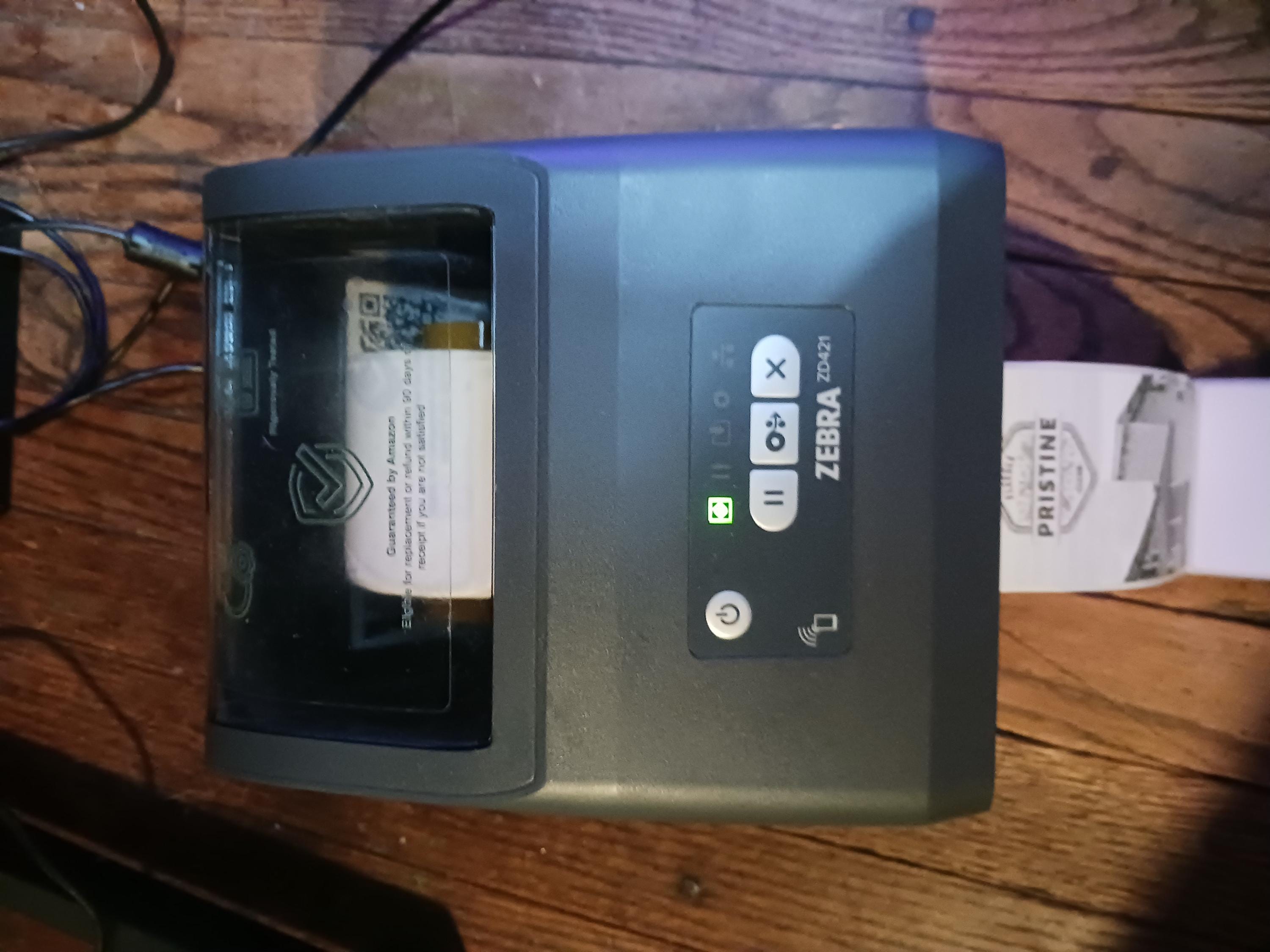
Zebra ZD4A042-D01E00EZ Barcode Label Printer
$240.00

Zebra G‑Series GC420d Label Printer
RM 144.09
Quick Highlights
- Zebra GK420d Direct Thermal Printer — A compact desktop printer that’s ideal for SMEs needing a reliable, low‑maintenance device for shipping labels, price tags, or basic product labeling. Its small footprint makes it suitable for tight spaces like storerooms or small offices.
- Zebra ZD4A042-D01E00EZ Barcode Label Printer — A slightly more advanced printer, useful if you want a dependable mid-range desktop printer that can handle barcode labels and shipping tags with higher reliability for regular business operations.
- Zebra G‑Series GC420d Label Printer — Good entry-level printer if you are starting out and want something affordable but from a trusted brand — suitable for low‑to‑medium label printing tasks.
These models are especially practical for SMEs that need consistent performance without the complexity or cost of industrial‑grade printers.
🧰 How SMEs in Malaysia Can Maximise Value from Zebra Printers
- Choose the right label media: For shipping and everyday labels, standard direct‑thermal paper labels are sufficient. For products that need longevity, exposure to moisture or abrasion (e.g. outdoor storage, manufacturing), select synthetic or thermal‑transfer compatible media.
- Plan label size carefully: Use wider 4″‑width labels for parcel shipping, and smaller sizes for product tags — this helps optimise label media use and reduces waste.
- Invest in training and setup: Zebra’s printers are generally user-friendly, but correct label templates, barcode settings, and media loading are important to avoid misprints.
- Scale as business grows: Start with a compact desktop Zebra model if you’re new or small scale; upgrade to higher‑volume or industrial models when printing volume increases.
- Factor in long‑term savings: Even though thermal printers may cost more upfront than a cheap inkjet, you’ll likely save on ink/toner, maintenance, downtime, and media waste over time.
✨ Final Thoughts
For SMEs in Malaysia — where space, cost efficiency, and flexibility matter — Zebra thermal label printers offer a compelling mix of reliability, quality, and long-term value. Whether you’re running a small e‑commerce business from home, managing retail labels, or running a small warehouse, investing in a good label printer can streamline your operations significantly.
By carefully considering your printing volume, label type (short-term vs long-term), and media needs, you can pick a Zebra printer model that fits your business — and scale up as your operations grow.